


01Create a branch
Each repository card on the issue has its own Branches block.
1
Check the suggested name
The name is built from the issue key and summary with the repository’s branch name template. Edit it if you like — DevFlow won’t overwrite your edit.
2
Pick a base (optional)
The branch starts from the card’s base branch. Click the route icon (Set base) to start it from another branch.
3
Click Create Branch
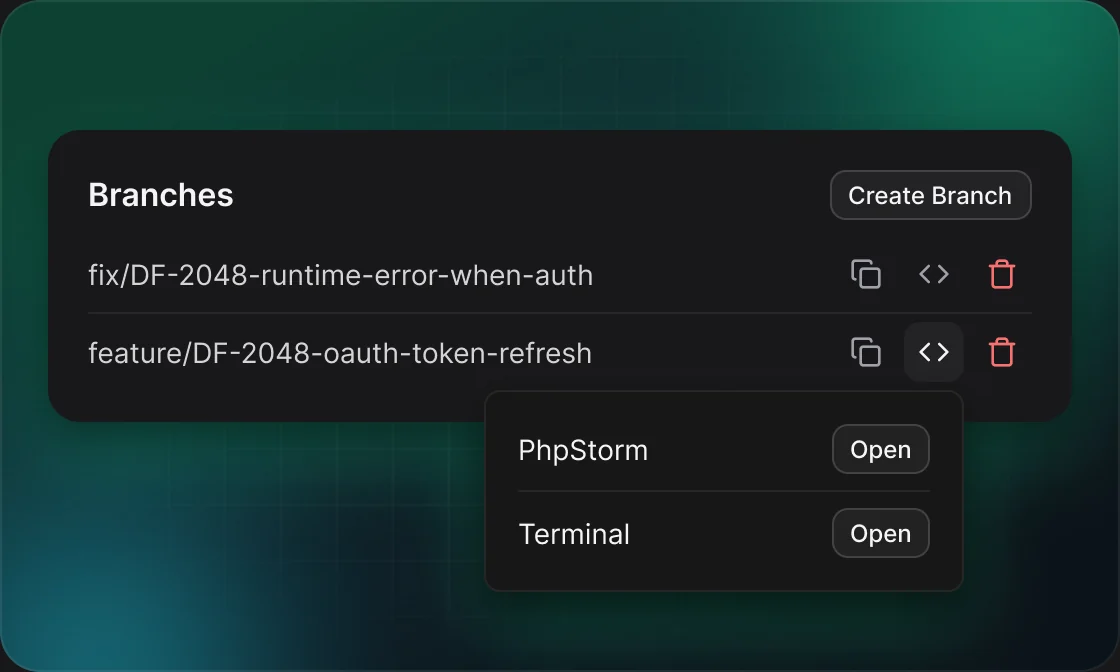
The branch appears in the list. Click its code icon to check it out and open it in your editor.
02Branch actions
Every branch row in the list has the same icons.
ACTIONWHAT IT DOESWHEN IT SHOWS
Branch nameOpens the branch on GitHub or GitLab in a new tab.Always
Create PROpens a small box to pick the base branch and PR type, then creates the pull request.No open PR yet
CopyCopies the branch name.Always
CheckoutFetches, switches your local copy to the branch and opens it in your editor, a terminal or Intent.Always
DeleteDeletes the branch on GitHub or GitLab after you confirm. An open PR stays open.Always
Checkout needs the repository’s local path in Settings and DevFlow Desktop running on your computer.
03Good to know
Names are cleaned as you type
Characters other than letters, digits, “-” and “/” become “-”.
GitHub matches the start of the name
On GitHub a branch name has to start with the issue key to be listed.
Sub-tasks can use the parent key
The parent/child icon in the name field swaps in the parent’s key.
Uncommitted changes block checkout
If Git refuses to switch, DevFlow shows Git’s message and opens nothing. Commit or stash your changes, then try again.
The first branch can move the issue
With the “Branch / PR created” status automation set up, the first branch in a repository moves the Jira issue to its new status.
04Example
10:02The card suggests DF-2048-add-google-login
10:03Developer shortens the name and clicks Create Branch
10:04DF-2048 moves to In Progress
10:05Developer clicks the code icon, then Open next to Cursor