


01Set it up
Slack is optional — without it, the rest of DevFlow works as usual.
1
Connect your account
In the setup wizard or Settings → Slack → Slack tokens, paste the token and cookie from Slack in your browser. Both badges should turn Active.
2
Add your channels
Settings → Slack → Channels. List where you ask for reviews and where you answer authors, each with its own message text.
3
Ask for a review
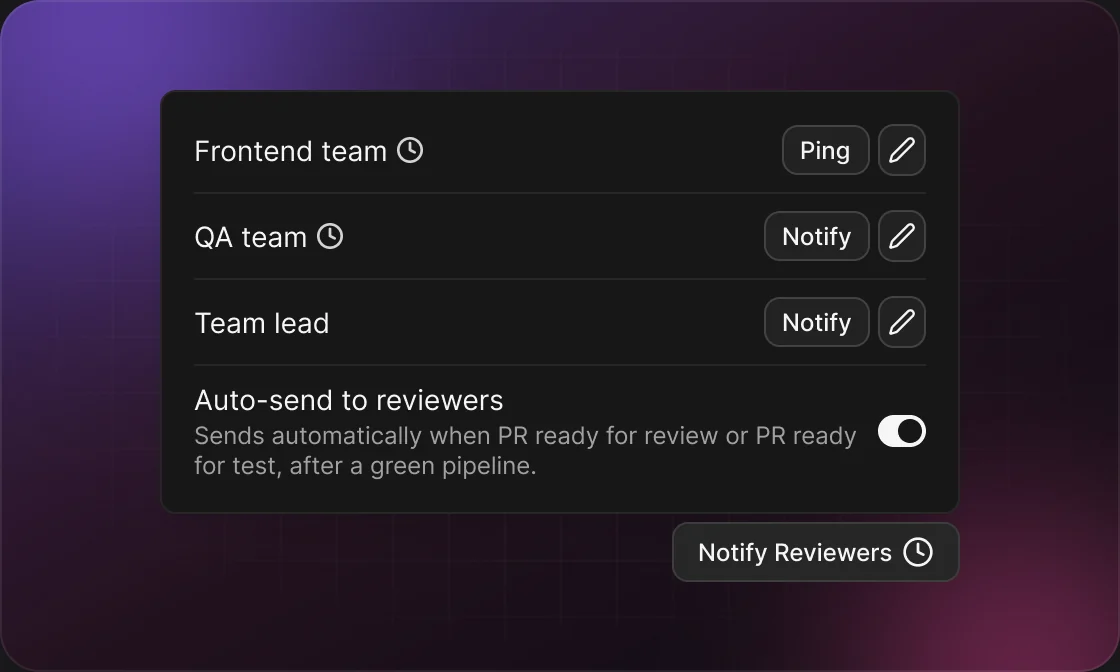
Click Notify Reviewers on an open pull request, then Notify next to a channel. After that the row turns into Ping for a short follow-up in the same thread.
4
Turn on reminders
Settings → Slack → Reminders. Switch on the ones you want; all but Mentions can send a test from the edit form.
02Reminders
Private messages from Slackbot to you only — never to a channel.
REMINDERWHEN IT IS SENTDEFAULT
Pipeline failureA pipeline on one of your pull requests fails. With auto-restart on, it waits until the retries are used up.On
Auto-fixed commentsAuto-fix pushed fixes for review comments on your pull request.On
Merge conflictOne of your open pull requests has merge conflicts.Off
PR createdA pull request was created for you from the CLI or MCP server.Off
MentionsSomeone mentions you in a Jira issue. Several mentions arrive as one digest.Off
Channels are set per Jira project; reminders are the same for every project.
03Good to know
Messages are sent as you
There’s no DevFlow bot. Everything appears under your own Slack name, as if you had typed it.
Replies land in the PR’s thread
If the GitHub or GitLab Slack app already announced the pull request, your review request is posted in that message’s thread.
Send automatically
Set Send on Git event on a reviewer channel — for example “PR ready for review” — and the request goes out at most once per pull request and event. Events that already happened are not sent.
Wait for a green pipeline
Turn on “Notify reviewers when pipeline is green” for the repository and automatic requests wait for a passing pipeline.
Tokens expire with your session
Sign out of Slack in the browser and the badges turn Not active — paste fresh values. Export for others leaves the Slack token out; a plain Export keeps it.
04Example
10:02Developer marks #412 ready for review
10:08Pipeline turns green
10:10DevFlow asks #web-team for a review in the PR’s thread