


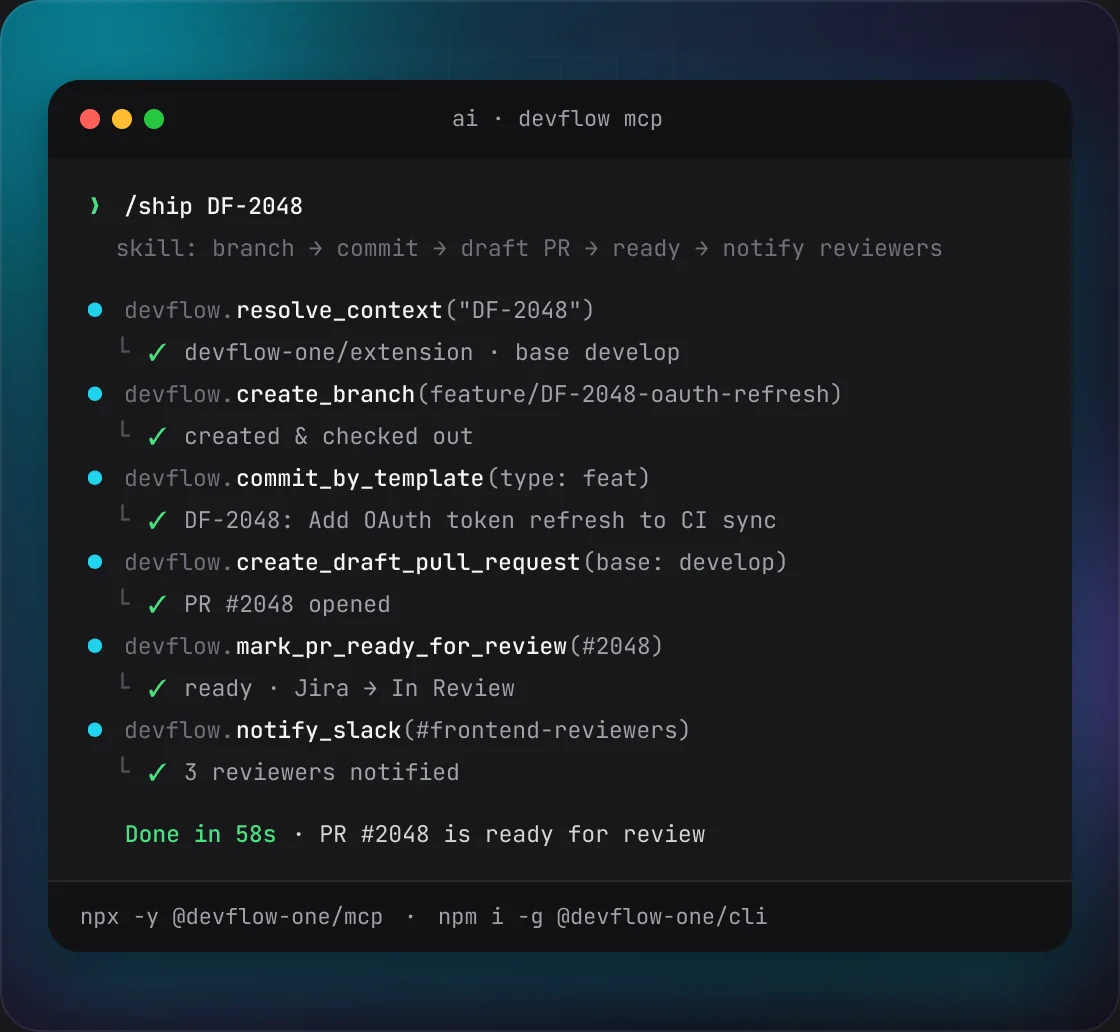
01Install
Needs Node.js 20 or newer.
1
Keep DevFlow running
DevFlow Desktop must run in the tray and Chrome must be open with the DevFlow extension. The extension does the work with your saved settings, so there are no tokens to copy.
2
Install the CLI
Run
npm i -g @devflow-one/cli, then devflow --help to list every command.3
Check what it sees
Run
devflow where inside a repository. It shows the project, issue, repository and Chrome profile it found, and where each one came from.02Global flags
They work with every command that runs an action. Write them as
--flag value or --flag=value.FLAGWHAT IT DOESVALUE
--issuePicks the Jira issue. Its prefix picks the project, and commands that take an issue key use it too.Issue key, e.g. ABC-123--projectPicks the Jira project directly.Project key--profileSends the action to this Chrome profile when several are connected.Profile id--repoPicks the repository when the project has several. It can’t pick the project on its own.Repository id or URL--force, --yesConfirms a destructive command. Without one of them it is refused.None--jsonPrints machine-readable JSON instead of text.None--helpPrints usage and exits.None--Everything after it counts as an argument, even if it starts with --.Nonelist-actions and list-profiles ignore --issue, --project, --profile and --repo.03Environment variables
Set these instead of passing the same flags every time.
VARIABLEWHAT IT DOESVALUE
DEVFLOW_PROJECT, DEVFLOW_ISSUE, DEVFLOW_REPO, DEVFLOW_PROFILEDefault project, issue, repository and profile. Flags win over them.Same as the flagDEVFLOW_GATEWAY_PORTPort DevFlow Desktop listens on.Default 8787DEVFLOW_GATEWAY_TOKENToken to use instead of reading the token file. It changes every time DevFlow Desktop restarts, so the file is the better choice.TokenDEVFLOW_GATEWAY_DATA_DIRFolder to read the token file from.Folder pathDevFlow Desktop writes the token file to
~/Library/Application Support/devflow on macOS, ~/.config/devflow on Linux and %APPDATA%\devflow on Windows.04How it finds the project
Each value comes from the first source that has it, and a later source never replaces it. The project key is the part of the issue key before the last dash. DevFlow never guesses: if two projects match, pass
--project or --repo.1
Flags
--issue, --project, --repo and --profile win over everything else.2
Environment variables
The
DEVFLOW_PROJECT, DEVFLOW_ISSUE, DEVFLOW_REPO and DEVFLOW_PROFILE values.3
Git remote
The folder’s
origin remote is matched against your repositories in Settings. That gives the project, repository and profile.4
Checkout folder
The folder is matched against each repository’s local path in Settings.
5
Branch name
An issue key in the branch name —
feature/ABC-123-login gives ABC-123.6
Folder name
A parent folder named like an issue key, e.g.
~/work/ABC-123/src.05Issues
Read-only, and default to the issue found from your branch or folder. Issue status needs the Jira API token set in Settings.
Issue status
devflow issue statusShows the issue’s Jira status and its parent’s, as the panel’s status bar does. Needs the Jira API token set in Settings. Read-only.
NAMETYPEREQUIREDDESCRIPTION
[issueKey]issue key—Issue to look up. Falls back to
--issue, then to the issue found from your branch or folder. Fails if there is none.Example:
devflow issue status ABC-123Issue branches
devflow issue branchesLists each repository’s remote branches for the issue, and for its parent when the repo card includes it. Read-only.
NAMETYPEREQUIREDDESCRIPTION
[issueKey]issue key—Issue to look up. Falls back to
--issue, then to the issue found from your branch or folder. Fails if there is none.Example:
devflow issue branchesIssue pull requests
devflow issue prsLists each repository’s pull requests for the issue in every state, merged and closed included, with approvers on open ones — the same list the repo card shows. Read-only.
NAMETYPEREQUIREDDESCRIPTION
[issueKey]issue key—Issue to look up. Falls back to
--issue, then to the issue found from your branch or folder. Fails if there is none.Example:
devflow issue prs06Branches
The repository’s branch template always decides the branch name.
Create branch
devflow branch createCreates the issue’s branch, or reuses it if it already exists. The template decides the name, so a sub-task may share its parent’s branch. Needs an issue key or a branch name. If it times out, check whether the branch exists before you retry.
NAMETYPEREQUIREDDESCRIPTION
[branchName]text—Fallback name, used only when the template can’t be applied. Its issue key is used when you don’t pass
--issue.--issueissue key—Issue whose branch to create. Defaults to the issue found from your folder, but only when you give no branch name.
--frombranch—Existing remote branch to start from. Defaults to the repository’s base branch. Refused without a value.
Example:
devflow branch create --issue ABC-124 --from release/2026.4Resolve branch name
devflow branch resolveShows the branch an issue’s work belongs on and whether it exists yet. Run it before you create a branch, commit or open a pull request. Read-only.
NAMETYPEREQUIREDDESCRIPTION
[issueKey]issue key—Issue to look up. Falls back to
--issue, then to the issue found from your branch or folder. Fails if there is none.Example:
devflow branch resolve ABC-124Delete branch
devflow branch deleteDeletes a branch in the project’s repository. Destructive, so it needs
--force or --yes. If it times out, check the branch before you retry.NAMETYPEREQUIREDDESCRIPTION
branchNametextBranch to delete.
--forceflagConfirms the delete.
--yes works too.Example:
devflow branch delete old-login --project ABC --force07Commits
The default commit template is the summary, then the list of changes, then the issue slug.
Commit by template
devflow commit templateCommits a folder with the project’s commit template, then pushes to
origin. In a DevFlow-managed copy it stages every changed or deleted tracked file; in your own checkout it commits only what you already staged. It commits whichever branch is checked out and won’t push from the base branch. Pushing is destructive, so it needs --force, or --no-push for a local commit. If it times out, it may already have committed or pushed.NAMETYPEREQUIREDDESCRIPTION
worktreePathfolderFolder to commit: a DevFlow-managed copy or the repository’s local path from Settings. Any other folder is refused.
--valuesJSON object—Values for the template:
summary (the subject line), changesList (a list, written as bullets), issueSlug and prNumber. Custom templates can use other keys. Empty values still commit and are shown as warnings.--include-untrackedflag—Also stages new files that aren’t ignored.
--no-pushflag—Commits locally without pushing. Then
--force isn’t needed.--forceflagConfirms the push. Not needed with
--no-push. --yes works too.Example:
devflow commit template ~/work/ABC-123 --values '{"summary":"Fix login"}' --force08Pull requests
Merge requests on GitLab. Commands that take a pull request use its number, e.g.
42.Create draft pull request
devflow mr createOpens a pull request from the issue’s branch, always as a draft. The PR type fills the title, description and labels from its templates; if a template can’t be filled, your title and body are used and the reason is shown as a warning. Needs a title plus an issue key or a branch. If it times out, run
devflow mr find before you retry — the pull request may already exist.NAMETYPEREQUIREDDESCRIPTION
titletextPull request title.
[headBranch]branch—Source branch. A branch that exists on the remote is used as is; otherwise the issue’s branch from the template is used.
--issueissue key—Ties the pull request to the issue for the templates. Defaults to the issue found from your folder or from
headBranch. The issue title needs the Jira API token in Settings.--bodytext—Fallback description, used when the PR type template (which uploads media via its own
{prMedia}) can’t be filled; {prMedia} here is filled or removed. Empty by default. Always give it a value: a bare --body isn’t refused and is sent as true.--basebranch—Target branch. Defaults to the repository’s base branch; a pattern like
{year}/{number} picks the newest matching branch. Refused without a value.--typeid or label—PR type. Picked from the title prefix, branch prefix, Jira issue type or title words, else the first type. See
devflow mr types. Refused without a value.Example:
devflow mr create "Fix login" --issue ABC-123 --type FixMark ready for review
devflow mr readyTakes a draft pull request out of draft. Also applies the PR type's labels, assigns you if no one is assigned and asks the type's missing reviewers. To refresh these later, run
devflow mr draft and then this again.NAMETYPEREQUIREDDESCRIPTION
prIdnumberPull request number.
--typeid or label—Switches the PR type, swapping its labels. See
devflow mr types. Refused without a value.Example:
devflow mr ready 42 --type FixMark as draft
devflow mr draftTurns a pull request back into a draft.
NAMETYPEREQUIREDDESCRIPTION
prIdnumberPull request number.
Example:
devflow mr draft 42Close pull request
devflow mr closeCloses a pull request without merging. Destructive, so it needs
--force or --yes. If it times out, check the pull request before you retry.NAMETYPEREQUIREDDESCRIPTION
prIdnumberPull request number.
--forceflagConfirms the close.
--yes works too.Example:
devflow mr close 42 --forceMerge pull request
devflow mr mergeMerges a pull request. If the provider says no — conflicts, missing approvals, a protected branch — it fails with the provider’s reason. Destructive, so it needs
--force or --yes. If it times out, check the pull request before you retry.NAMETYPEREQUIREDDESCRIPTION
prIdnumberPull request number.
--methodtext—
merge, squash or rebase. Defaults to the provider’s setting. Anything else is refused.--delete-source-branchflag—Deletes the source branch after the merge.
--forceflagConfirms the merge.
--yes works too.Example:
devflow mr merge 42 --method squash --delete-source-branch --forceAssign
devflow mr assignAssigns a pull request to a user.
NAMETYPEREQUIREDDESCRIPTION
prIdnumberPull request number.
assigneeusernameUser to assign.
Example:
devflow mr assign 42 jdoeFind by issue
devflow mr findFinds the pull request for an issue. Read-only.
NAMETYPEREQUIREDDESCRIPTION
[issueKey]issue key—Falls back to
--issue, then to DEVFLOW_ISSUE, then to the issue found from your branch or folder.Example:
devflow mr findGet pull request
devflow mr getShows a pull request’s title, description, link, state, draft flag, and source and target branch. Read-only.
NAMETYPEREQUIREDDESCRIPTION
prIdnumberPull request number.
Example:
devflow mr get 42Update pull request
devflow mr updateChanges the title, description or target branch, then shows the pull request as saved. Pass at least one change.
--description and --append-description can’t be used together. To refresh videos and screenshots, swap the old media links for {prMedia}: DevFlow uploads .devflow/media/<ISSUE-KEY>[-n].{mp4,png,jpg,jpeg} and puts the new links there. If the upload fails or the branch names no issue, {prMedia} is removed and media.error says why.NAMETYPEREQUIREDDESCRIPTION
prIdnumberPull request number.
--titletext—New title. A blank title is refused.
--descriptiontext—Replaces the whole description, exactly as given.
--append-descriptiontext—Adds text after a
--- line. Skipped if the description already ends with it, so running it twice is safe.--basebranch—New target branch. It must exist on the remote.
Example:
devflow mr update 42 --append-description "## Test plan"List PR types
devflow mr typesLists the repository’s PR types with their id, label and which one is the default. Empty if none are set up. Read-only.
Example:
devflow mr types --project ABCGet fix-comments prompt
devflow mr fix-promptPrints the prompt DevFlow uses to fix review comments: the base prompt plus your project’s fix rules. It runs no AI and changes nothing.
NAMETYPEREQUIREDDESCRIPTION
[prId]number—Pull request the prompt is for.
--issueissue key—Issue the prompt is for. Defaults to the issue found from your folder.
Example:
devflow mr fix-prompt 42Review comment counts
devflow mr commentsCounts a pull request’s review comments as the Fix Comments row does: unfixed, fixed, resolved and PR-level comments. Read-only.
NAMETYPEREQUIREDDESCRIPTION
prIdnumberPull request number.
Example:
devflow mr comments 42Fix comments
devflow mr fix-commentsStarts an AI fix of the pull request’s review comments in the repository’s local folder, like Fix Comments in the panel. The run commits and pushes, so it’s destructive and needs
--force or --yes. It returns at once with started, prNumber and queued, which is true when an automation run is busy and the fix starts on its next tick. It returns started: false with a reason while the panel or the timer is already fixing that pull request. Run devflow mr comments later to see the counts change.NAMETYPEREQUIREDDESCRIPTION
prIdnumberOpen pull request to fix.
--forceflagConfirms the run.
--yes works too.Example:
devflow mr fix-comments 42 --forceReply as fixed
devflow mr reply-fixedReplies “Fixed” to every unanswered review thread, like Reply as Fixed in the panel, and resolves each one when the repository is set to. Prints how many replies worked and failed. If it times out, check the counts before you retry.
NAMETYPEREQUIREDDESCRIPTION
prIdnumberPull request number.
Example:
devflow mr reply-fixed 4209Pipelines
Pipelines on GitLab, workflow runs on GitHub.
Pipeline status
devflow pipeline statusShows the pipeline status for a pull request’s latest commit. Read-only.
NAMETYPEREQUIREDDESCRIPTION
prIdnumberPull request number.
headShacommit SHAThe pull request’s latest commit.
Example:
devflow pipeline status 42 deadbeefList pipeline jobs
devflow pipeline jobsLists the pipeline jobs for a pull request’s latest commit. Read-only.
NAMETYPEREQUIREDDESCRIPTION
prIdnumberPull request number.
headShacommit SHAThe pull request’s latest commit.
Example:
devflow pipeline jobs 42 deadbeefRestart failed jobs
devflow pipeline retryRestarts only the failed jobs of a pipeline or run — what
pipeline retry does by default. If it times out, check the pipeline before you retry.NAMETYPEREQUIREDDESCRIPTION
pipelineOrRunIdnumberPipeline id on GitLab, run id on GitHub.
Example:
devflow pipeline retry 555Restart all jobs
devflow pipeline retry --allRestarts every job of a pipeline or run. If it times out, check the pipeline before you retry.
NAMETYPEREQUIREDDESCRIPTION
pipelineOrRunIdnumberPipeline id on GitLab, run id on GitHub.
--allflagRestarts all jobs instead of only the failed ones.
Example:
devflow pipeline retry 555 --allRestart one job
devflow pipeline retry --jobRestarts a single job. With
--job the pipeline id isn’t needed and is ignored. If it times out, check the job before you retry.NAMETYPEREQUIREDDESCRIPTION
--jobnumberId of the job to restart.
Example:
devflow pipeline retry --job 987610Slack
Messages are posted from your own Slack account.
Notify Slack
devflow slack notifySends a message to the project’s Slack channels that get messages automatically, or to one you name. Fails if Slack isn’t set up for the project. If it times out, check the channel before you retry, or the message may be posted twice.
NAMETYPEREQUIREDDESCRIPTION
messagetextThe message. Can include
{key} placeholders and @name mentions.--channelchannel id—Sends to this channel instead. Always give it a value: a bare
--channel isn’t refused and is sent as the channel id true.--valuesJSON object—Values for the placeholders.
--prnumber—Pull request whose reviewers this notifies. The post is saved for
devflow mr notify-status, and a channel already notified for it gets a ping in the earlier message’s thread.Example:
devflow slack notify "Review fixes ready on {pr}" --values '{"pr":"#42"}'Reviewer notify status
devflow mr notify-statusFor each reviewer channel the panel’s Notify button shows, says whether reviewers were already notified, with the message link, and whether the next step is a send or a ping. Its
source says who posted: manual (panel), auto (auto-send), gateway (devflow slack notify --pr) or slack (found only in Slack history). Follow up with devflow slack notify --pr. Read-only.NAMETYPEREQUIREDDESCRIPTION
prIdnumberPull request number.
Example:
devflow mr notify-status 42List Slack channels
devflow slack channelsLists the project’s Slack channels: id, name, label, which PR labels they’re for, and whether
devflow slack notify sends to them automatically. Returns no templates or tokens. Read-only.Example:
devflow slack channels --project ABC11Utilities
These run no action, so routing flags don’t change them.
List actions
devflow list-actionsLists the actions DevFlow Desktop offers, by their internal names, e.g.
createBranch.Example:
devflow list-actionsList profiles
devflow list-profilesLists the connected Chrome profiles and the Jira projects each one owns.
Example:
devflow list-profilesWhere
devflow whereShows the project, issue, repository and profile for the current folder, where each one came from, and whether that Chrome profile is connected. It also lists close matches and warnings. It never runs an action and always exits with
0, even when DevFlow Desktop isn’t running.NAMETYPEREQUIREDDESCRIPTION
--jsonflag—Prints the result as JSON.
Example:
devflow where --json12Exit codes and errors
Errors print to stderr as
error [CODE]: message, with a hint line when you should check before retrying.CODEWHENEXIT
SuccessThe command worked.
--help and devflow where always end here.0UsageErrorBad or missing arguments, nothing to route to, two projects match, or a destructive command without --force.1ConfigErrorThe token file is missing or empty. Start DevFlow Desktop once.1ECONNREFUSEDDevFlow Desktop isn’t running.1NO_PROFILEThe Chrome profile that owns the project isn’t connected. Open it in Chrome.1AMBIGUOUS_PROFILESeveral profiles or repositories match. Pass --project, --repo or --profile.1DESTRUCTIVE_BLOCKEDDevFlow Desktop refused a destructive action that wasn’t confirmed.1TIMEOUTNo result in time. The error says whether DevFlow picked the action up — if it did, it may still finish.1HANDLER_FAILEDThe extension or your Git provider refused; the message has the reason.1Unknown commands and no command at all also exit with
1. With --json, results print as ok true with the result, and errors as ok false with the code, message and hint.13Good to know
Twelve actions aren’t safe to retry blindly
branch create, branch delete, commit template, mr create, mr close, mr merge, mr fix-comments, mr reply-fixed, the three pipeline retry forms and slack notify. If one times out after DevFlow picked it up, check first — e.g. with devflow mr find.Five commands are destructive
branch delete, mr close, mr merge, mr fix-comments (its AI run commits and pushes), and commit template when it pushes. The CLI checks for --force before sending, and DevFlow Desktop checks again.Warnings don’t fail the command
Things like a replaced branch name or an empty template value print to stderr as warning lines, even with
--json.