


01How it works
Works with GitHub Actions and GitLab pipelines.
1
Check the badge
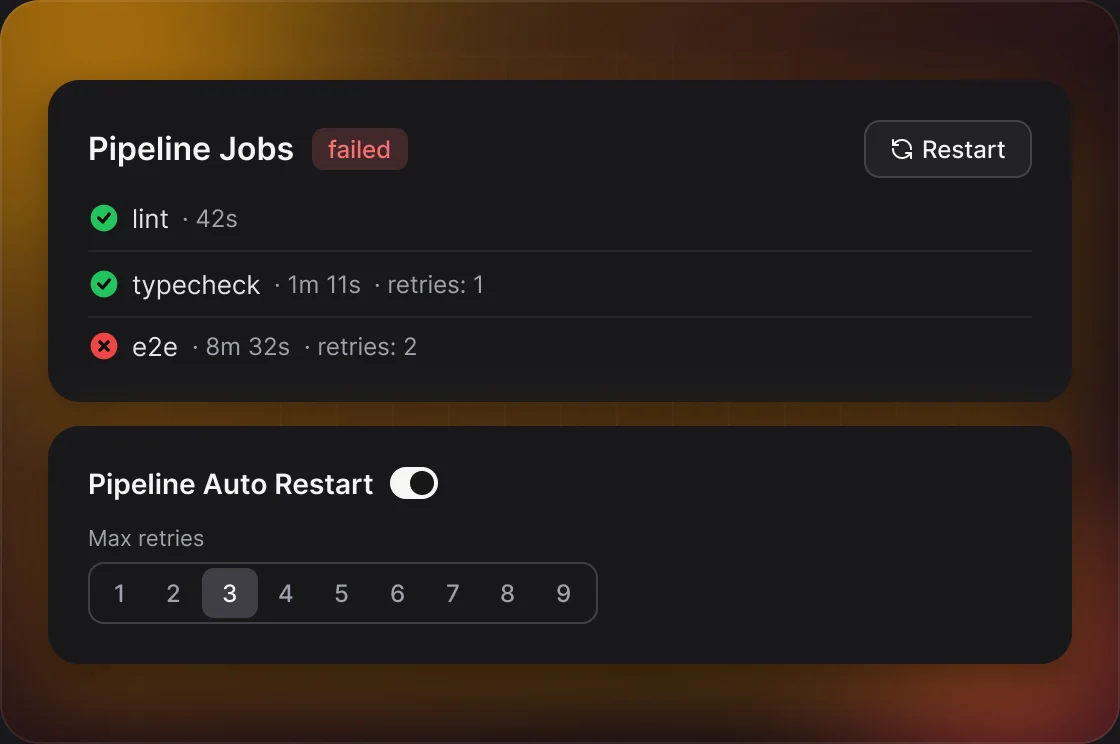
Every open pull request in the repository card shows a coloured pipeline badge.
2
Open the jobs
Click the badge to see every job, how long it ran and how many times it was retried. Click a job name to open it on GitHub or GitLab.
3
Restart
Restart Failed re-runs jobs that failed, failed but were allowed to fail, or were canceled, and shows only when there are some. Restart All re-runs every job.
4
Let DevFlow retry
Turn on Pipeline Auto Restart and DevFlow restarts failed pipelines on your pull requests for you.
02Settings
Set per repository in Settings → Git → API Automations.
SETTINGWHAT IT DOESDEFAULT
Pipeline Auto RestartRestarts a failed pipeline on your own pull requests.Off
Max retriesHow many times one commit’s pipeline is restarted, from 1 to 9.3
Restart Pipeline ApproachRestart only the failed jobs, or all jobs.Restart Only Failed Jobs
Notify reviewers when pipeline is greenAutomatic Slack review requests wait until the pipeline passes.Off
03Good to know
Finished pipelines only
Auto-restart waits until no job is running or pending. Passed with warnings doesn’t count as failed.
Retries count per commit
The retry limit counts on the latest commit. A new push starts again from zero.
Then you get a reminder
Once the retries are used up, the pipeline failure reminder tells you in Slack — and only you.
GitHub runs are separate
On GitHub, Restart Failed re-runs the failed jobs of one workflow run.
Always the newest result
Hover the badge and click the refresh icon to ask GitHub or GitLab again right away.
04Example
16:02“e2e-tests” fails on #412
16:05DevFlow restarts the failed job
16:11The second run passes and the badge turns green